Tutorials
How TeachTimeLab Works
Walkthroughs for senior draft marking, final marking, and junior marking — Years 1 to 10.
Junior Marking
Upload a task sheet, answer a few clarifying questions, calibrate TeachTimeLab with one or two exemplar responses, then mark student work — for any subject across any Australian state.
How it works — step by step
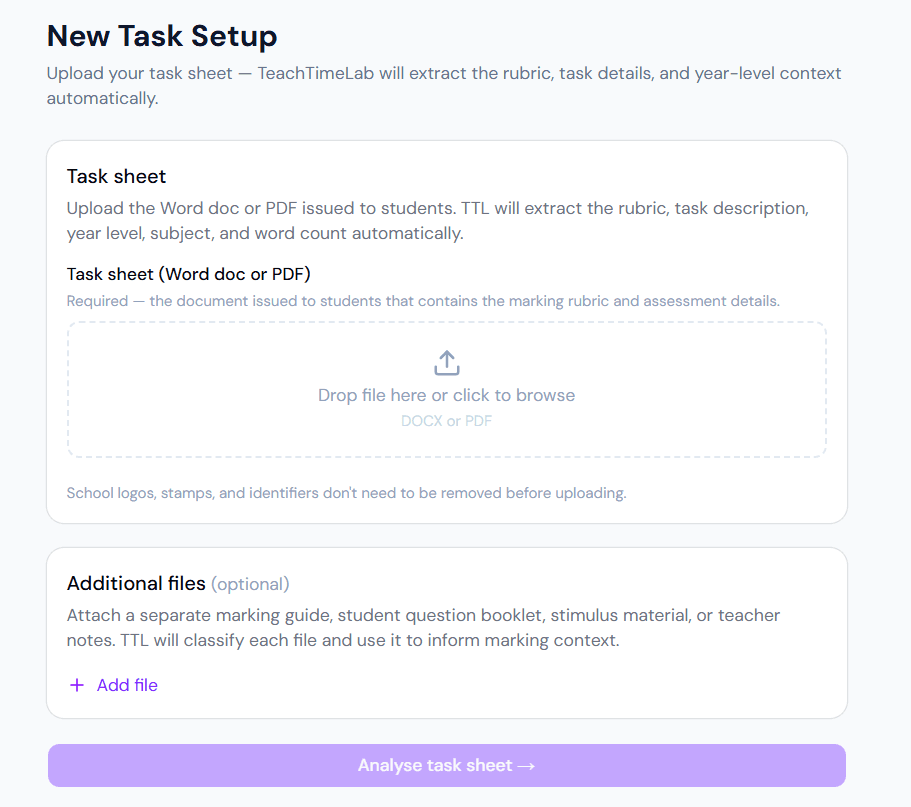
Upload the Word doc or PDF issued to students. TTL extracts the rubric, year level, and subject automatically.
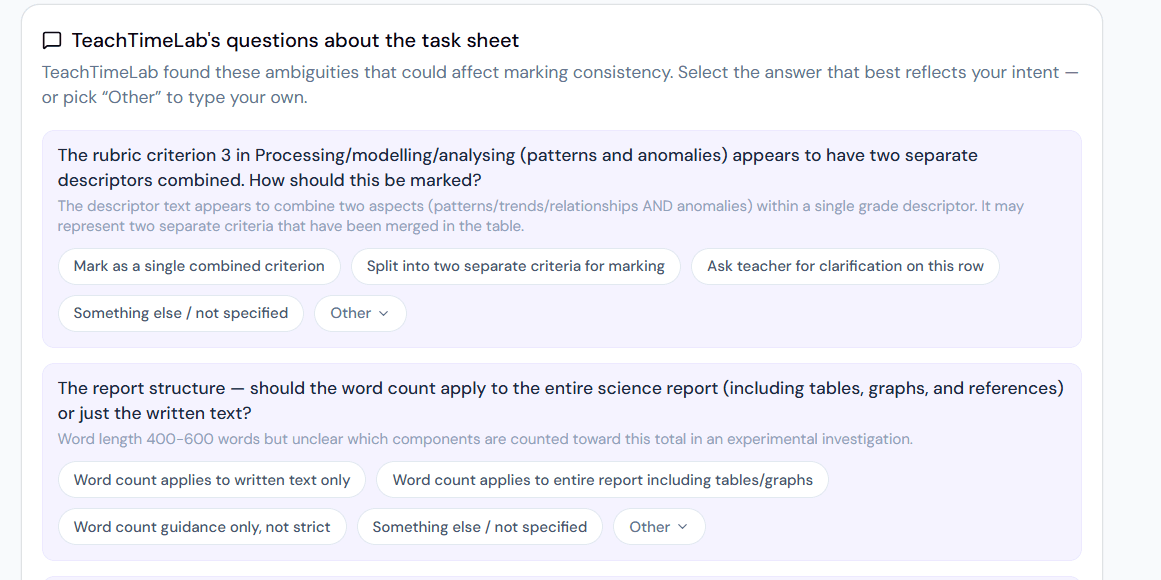
TTL flags any ambiguities in the rubric and asks how to handle them — pick the option that matches your intent.

Teach TTL your marking standards using an exemplar response. Rules are saved and applied to every future session.
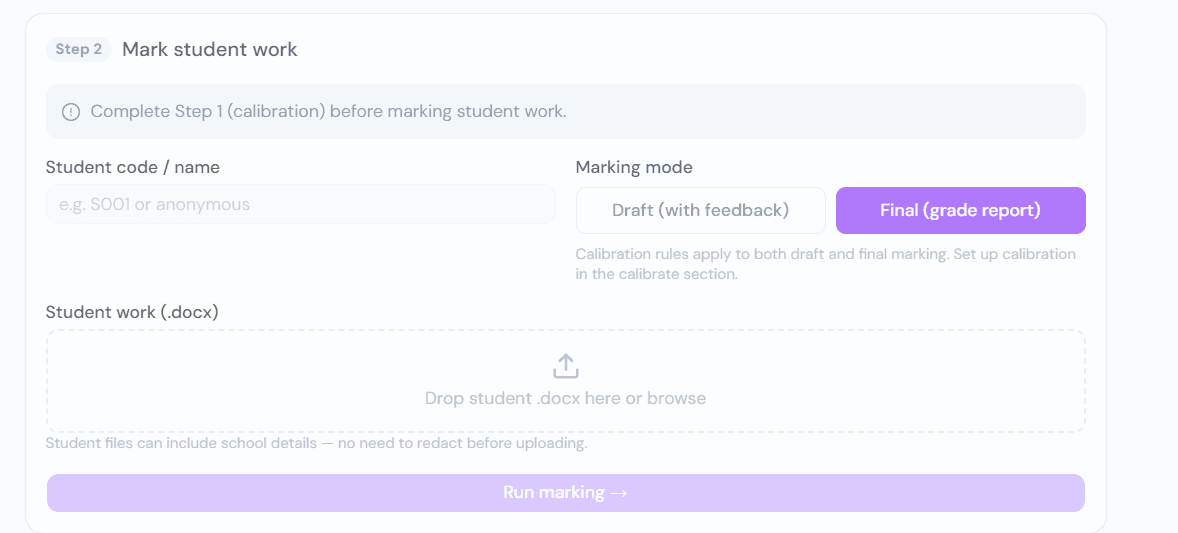
Upload the student's .docx, choose Draft or Final marking mode, and run. Results are ready in under a minute.
Draft Marking
Upload a student draft, select your assessment criteria, and get AI-generated feedback on a Word doc with comments inserted and a separate student checklist — all in under a minute.
Final Marking
Live mark the final assessment on our platform. An annotated student document and an easy-to-change ISMG checklist sit side by side so you can read and mark on one screen. Download a highlighted ISMG and the annotated student file — each with brief descriptions of why a descriptor was awarded, so you have a clear record to refer back to.
Ready to try it?